iPhone Photography School review (2026)

We went inside iPhone Photo Academy, its flagship course, and pulled together the real curriculum, the true pricing, the Trustpilot data, and an honest list of what's good and what isn't.

4.8/5

Trustpilot · 660,000+ students · 11 years teaching

See the current offer 30-day money-back guarantee
iPhone Photo Academy shown on an iPhone

One of the most trusted names in mobile photography

660,000Students enrolled
4.8Trustpilot rating
44Video lessons
16Languages
30Day money-back

4.8 out of 5 on Trustpilot · hundreds of thousands of students since 2013

AWAmanda Walker "So many things I didn't know my iPhone could do." ★★★★★
FHFerenc Hampel "Worth every cent." ★★★★★
DRDebbie Redmond "People are starting to comment on my photos!" ★★★★★
EPErin Peterson "The best iPhone photos I've ever taken." ★★★★★
CRCynthia Ruiz "Never knew my iPhone could do this much." ★★★★★
DWDavid Wyndham "You learn why each tool matters." ★★★★★
KKaren "Practical and enjoyable. Easy to watch." ★★★★★
AMAlberto Moreau "I leave the big camera at home now." ★★★★★
DSDon Sevener "Changed my way of viewing the world." ★★★★★
PBPenny Brewer "Learned so much about the iPhone camera." ★★★★★
JVJaakko Valvanne "Finally know the hidden camera features." ★★★★★
RBR. David Boardman "A tool for creative expression." ★★★★★

The short version

iPhone Photography School is the biggest name in iPhone photography teaching, running since 2013 with over 647,000 students in its flagship course alone. That course, iPhone Photo Academy, is taught by founder Emil Pakarklis. It is clear, well shot, and built for people who have never thought about composition or camera settings in their life.

It won't impress you if you already shoot manual on a real camera — the core is deliberately basic. And the videos stream only, so there's no offline viewing. But for an iPhone owner who wants their photos to stop looking flat, it is a genuinely good starting point, and the 30-day refund makes it low-risk.

  • Best for iPhone owners new to photography
  • Content 44 video lessons (~10.5 hours) + 8 bonuses, updated for iOS 26
  • Languages 16, incl. Spanish, German, French, Japanese, Arabic
  • Taught by Emil Pakarklis (founder, 11 years)
  • Price ~$49 / €59 (list ~$249), lifetime access
  • Guarantee 30 days, money back
  • Rating 4.8/5 on Trustpilot
See the course
The basics

What is iPhone Photography School?

It's an online school that teaches people to take better photos with the iPhone. Emil Pakarklis started it in 2013 as a blog and grew it into a catalog of more than a dozen courses — everything from absolute-beginner camera basics to landscape, street, editing, drone and video.

The one most people mean when they say "iPhone Photography School" is iPhone Photo Academy, the beginner flagship. That's the course this review digs into, because it's the one that draws the searches and the one most buyers start with. If you already know your way around exposure and composition, the school points you instead to its more advanced Capture It All course.

A quick note, since people ask: this is not an Apple product. It's an independent company. iPhone is a trademark of Apple Inc., and the school isn't affiliated with them.

How it compares

iPhone Photo Academy vs the alternatives

The honest question isn't "is it good" — it's "is it better than the free and cheaper options." Here's how it lines up.

 iPhone Photo AcademyYouTubeUdemy coursesSkillshare
Structured, ordered pathYes — 5 modulesNo — scatteredVariesVaries
Built only for iPhoneYesMixedSomeSome
Taught byFounder, full-time proAnyoneMixed instructorsMixed instructors
Typical cost$49 one-timeFree$15–130~$14/mo
Lifetime accessYesYesYesNo (subscription)
Money-back guarantee30 days30 daysTrial
Ads / rabbit holesNoneConstantNoneNone

Bottom line: YouTube wins on price and loses on structure. If you enjoy assembling free clips into a path yourself, save your money. If you'd rather follow one ordered course made for your phone, this is where the $49 goes.

Hands-on

A look inside iPhone Photo Academy

We logged in and went through the current course — not the older version other reviews still show. Here's what it actually looks like.

44 lessons · ~10.5 hrs5 modules + bonus modules
16 languagesfrom Spanish to Japanese
Updated for iOS 26lessons re-shot for the latest iPhones
✓ In progress 5:19

What each lesson looks like

Short, well-produced videos with a clean player — captions, playback speed, and per-lesson Comments, Notes and Files tabs. Lessons range from ~5 to ~23 minutes, and some have been re-recorded for the newest iOS.

  • Notes you can keep against each lesson
  • A comments thread under every video

One honest caveat: videos stream only — there's no offline download, so you need a connection to watch.

The full lesson list

Every lesson in the current iPhone Photo Academy — 5 core modules plus 4 bonus modules. Open any to see what's covered.

Module 1 — Mastering the Camera in Your Pocket Camera fundamentals8 lessons+
  1. Introduction: The Camera in Your Pocket
  2. The Key to Breathtaking Photos with Your iPhone
  3. Camera App Walk-Through: All the Functions You Need
  4. The Correct iPhone Camera Settings for Perfect Photos
  5. How to Hold Your iPhone Like a Seasoned Photographer
  6. 3 Quick Ways to Open the Camera App
  7. Secrets for Choosing the Right iPhone Camera Lens
  8. 5 Unique Ways to Release the iPhone's Shutter
Module 2 — Pro Features of the iPhone Camera Focus, exposure, Live Photos8 lessons+
  1. Introduction: Going Pro with Your iPhone
  2. Secret iPhone Camera Feature for Perfect Focus
  3. Your First iPhone Photography Project (optional)
  4. How to Avoid Images That Are Too Dark or Too Bright
  5. 7 Tips for Preserving Your Memories with Live Photos
  6. Using Long Exposure for Breathtaking Photos of Water
  7. How to Never Miss the Perfect Shot Using Burst Mode
  8. 9 Secrets for Capturing Outstanding Panoramic Photos
Module 3 — Simple Techniques for Stunning Photos Composition & creativity8 lessons+
  1. Introduction: What Makes a Stunning Photo
  2. 10 Mindset Hacks to Skyrocket Your Creativity
  3. Angle: Where to Shoot From to Get the Best Photos
  4. The Missing Ingredient for Taking Exceptional Images
  5. The #1 Composition Rule (and When It's OK to Break It)
  6. 7 Composition Guidelines for Incredible iPhone Photos
  7. How to Involve Your Friends to Enhance Your Images
  8. Simple Trick to Take Your Photos to the Next Level
Module 4 — Proven Ways to Capture Impactful Images Light, sunrise/sunset, night8 lessons+
  1. Introduction: Techniques for Impactful Images
  2. This Secret Makes or Breaks Every Photo You Take
  3. Early Morning Techniques for Incredible Sunrise Photos
  4. Pro Lighting Hack for Highly Creative Compositions
  5. Planning: The Secret Behind All Successful Sunset Shoots
  6. Proven Techniques for Taking Exceptional Sunset Photos
  7. Simple Lighting Trick That Helps You Tell Powerful Stories
  8. How to Capture High-Quality iPhone Photos at Night
Module 5 — Stunning iPhone Photos in Daily Situations Genres: landscape to macro10 lessons+
  1. Introduction: Finding Photos in Your Daily Life
  2. 11 Techniques for Exceptional Landscape Photos
  3. 3 Secrets for Taking Incredible iPhone Travel Photos
  4. How to Catch the Perfect Moment in Street Photography
  5. 10 Powerful Techniques for Amazing Architecture Photos
  6. Tips for Capturing Beautiful iPhone Portrait Photos
  7. 9 Tricks for Taking Meaningful Photos of Your Children
  8. Secrets for Capturing Stunning iPhone Macro Photos
  9. Advanced Long Exposure Hacks for Stunning Images
  10. Conclusion: Breathtaking iPhone Photos
Bonus modules Portraits, image quality, library, photo analysis4 modules+
  1. Authentic iPhone Portraits — a full portrait mini-course (~9 lessons)
  2. How to Preserve the Quality of Your Photos — RAW, printing (4 lessons)
  3. Secrets for Managing a Huge Photo Library — iCloud, albums (4 lessons)
  4. Photo Analysis — six-plus critique videos, each over an hour
Inside the community

What the discussion threads reveal

Every lesson has a comments thread you can only see once you're enrolled. We read through them — here's what stood out, and it contradicts a claim you'll see in other reviews.

83,000+ commentson the first lesson alone
Staff reply in-threadoften the same day
Students help studentsa real, active community
Support

Support actually answers

Some reviews claim there's no support here. The threads say otherwise. When one student hit a no-sound bug, a staff member replied the same day with a fix, and a fellow student added a browser workaround. Questions rarely sit unanswered.

Community

It's a genuine community

Students answer each other, share what worked, and swap tips lesson by lesson. It isn't a forum you visit separately — the conversation sits right under each video, which keeps it on-topic.

Upkeep

The course is kept current

A student pointed out the instructor re-recorded lessons so the material stays up to date, and staff confirmed a lifetime-updates add-on that adds lessons for the newest iOS camera. This isn't a course frozen in 2019.

Most of the questions are practical — how many hours the course runs, what the lifetime-updates add-on includes, the odd playback hiccup. We folded the most common ones into the FAQ below, with the answers staff gave.

The honest take

Pros and cons

What works

  • Genuinely beginner-friendly — no jargon, nothing assumed.
  • High production quality and a clean, current platform.
  • Taught by the founder, who does this full-time.
  • Deep for the money — ~42 lessons plus hours of bonus critique.
  • Lifetime access and a real 30-day refund.
  • 4.8 on Trustpilot across hundreds of reviews.

What to keep in mind

  • Not affiliated with Apple, despite the name.
  • Videos stream only — no offline downloads.
  • Core content is basic if you already shoot seriously.
  • Heavy, constant discounting muddies the "real" price.
  • Plenty of upsells to other courses.
  • No live 1:1 coaching (there's a community, AI feedback and email support, but no scheduled calls).
Social proof

What students actually say

Real reviews from Trustpilot and the school's students. Hover to pause.

AWAmanda WalkerTrustpilot

"Excellent online photography course. Easy to follow, and it has shown me so many things I did not know my iPhone could do. My photographs have improved."

FHFerenc HampelTrustpilot

"Worth every cent, don't miss it. Even if you have been using DSLR or mirrorless cameras for years, there will still be a lot of new things you will learn."

DRDebbie RedmondBéziers, France

"People are starting to comment on my photos!"

EPErin PetersonVerified student

"I now take the best iPhone photos I've ever taken."

DWDavid WyndhamTrustpilot

"Not only do you learn how to use the tools, you learn why each tool is important. The sample shot setups are explained in detail, and the explanations are clear."

KKarenTrustpilot

"This iPhone photography course is both practical and enjoyable. It's easy to watch and you can recap if needed. I've learnt a completely different way to shoot."

AMAlberto MoreauVerified student

"Now I take photos only with my iPhone and leave the big camera at home."

CRCynthia RuizVerified student

"I've had an iPhone for years and I never knew how much it could do."

DSDon SevenerVerified student

"iPhone Photo Academy changed my way of viewing the world."

PBPenny BrewerVerified student

"I've learned so much about the iPhone camera since joining this course."

JVJaakko ValvanneTampere, Finland

"I finally know how to use the hidden features of my iPhone camera."

RBR. David BoardmanVerified student

"My iPhone has become a tool for creative expression."

Before you buy

Common concerns, answered

The worries people have before buying, with straight answers.

"Can't I learn all this free on YouTube?"

Some of it, yes. The tips exist, scattered across thousands of videos with ads in between. What you pay for here is one ordered path built for the iPhone, taught start to finish. If you enjoy piecing it together yourself, YouTube is a fair alternative.

"I don't have any talent."

You don't need it. The whole course assumes you're starting from zero and teaches the rules good photos follow — where to stand, how to read light, which lens to use. It's a skill, not a gift.

"My iPhone is a few years old."

Fine. The techniques work on any iPhone from the 5S onward. Most of it is composition and camera fundamentals that don't care which model you own.

"Is it legit, or a scam?"

It's legit — running since 2013, hundreds of thousands of students, 4.8 on Trustpilot, and a 30-day refund you can actually use. The only real question is whether the level suits you.

"I already know photography."

Then the core will feel basic — be honest with yourself. The school's more advanced Capture It All course is the better fit if you want depth beyond the fundamentals.

"What if I don't like it?"

There's a 30-day money-back guarantee. You email support and get a refund — long enough to watch the whole thing and decide.
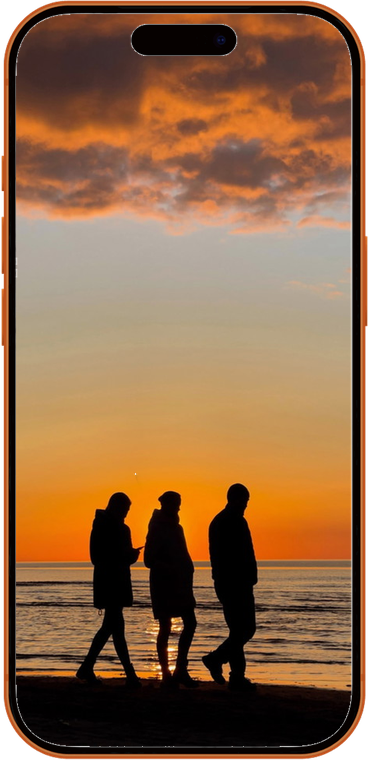
Still unsure? The 30-day guarantee means you can try it and decide for real.

See the course for yourself
Pricing

Price and is it worth it

List ~$249 / €295

$49~€59

one-time (or 3 payments) · lifetime access

  • 44 video lessons across 5 modules (~10.5 hrs)
  • 8 bonuses worth ~€1,453 — incl. private community & AI photo feedback
  • 16 languages · updated for iOS 26
  • Lifetime access, works with any iPhone (5S+)
  • 30-day money-back guarantee
See the current offer

Our take on the value

At the $249 list price you'd hesitate. But it's almost never sold at list — the real price is usually $49, and at $49 the maths is easy. You're getting a founder-taught, well-produced course with dozens of lessons and hours of bonus critique, for less than a single in-person lesson would cost.

The one thing to be clear-eyed about is that perpetual discount. "$249, now $49" is marketing; treat $49 as the price and judge it on that. On those terms it's fair, and the 30-day guarantee removes the risk.

Who should skip it: anyone who already shoots manual and understands light and composition. You'll find the core too basic. Look at the advanced Capture It All course instead, or spend nothing and use YouTube.

Is it for you

Who it's for

This suits one person especially well: someone with a recent iPhone who takes a lot of photos and quietly feels they should be better. If you shoot on auto, never touch the settings, and want a friendly way in, it's built for you.

It also fits people coming back to photography, and parents or travellers who just want sharper, better-framed shots of the moments that matter — without carrying a second camera.

It's a weaker fit if you already own a proper camera and know exposure and composition, or if you're on Android. The ideas transfer, but you'd be paying for lessons filmed on a phone you don't use.

Questions

Frequently asked questions

Is iPhone Photography School legit?

Yes. It's been running since 2013, has taught hundreds of thousands of students, holds a 4.8 on Trustpilot, and includes a 30-day money-back guarantee.

Is it affiliated with Apple?

No. It's an independent company founded by Emil Pakarklis. iPhone is a trademark of Apple Inc., and the school isn't endorsed by Apple.

How much does it cost?

iPhone Photo Academy is usually $49 (list price around $249), a one-time payment with lifetime access. Other courses run $49–99.

Will it work with my older iPhone?

Yes — the techniques apply to any iPhone from the 5S onward. Most of the course is fundamentals that don't depend on the newest model.

Can I download the videos to watch offline?

No. The lessons stream only, so you need an internet connection to watch. This is one of the course's real limitations.

Is there a refund policy?

Yes, a 30-day money-back guarantee. If it's not for you, email support within the window for a full refund.

How many hours of content is it?

The course runs to over 10 hours of video across the modules, plus hours of bonus photo-analysis critiques. You watch at your own pace, with lifetime access. (This is one of the most-asked questions in the course's own comment threads.)

What does the lifetime-updates add-on include?

It's an optional extra that adds updated lessons for the latest iOS camera app, plus a bonus module on the Camera Control button and the newer Photographic Styles. The core course works fine without it.

4.6/5

The verdict

iPhone Photo Academy does exactly what it promises: it takes an iPhone owner who shoots on auto and gives them a clear, founder-taught path to better photos. It's basic by design and streams-only, and the pricing theatre is a bit much — but the teaching is solid, the bonus content is genuinely deep, and the refund makes it risk-free. For the right beginner, it's an easy recommendation.

See the course and current offer